

- Home
- Epoxy Floor Coatings
- Floor Visualizer
See flake colors on your own floor.
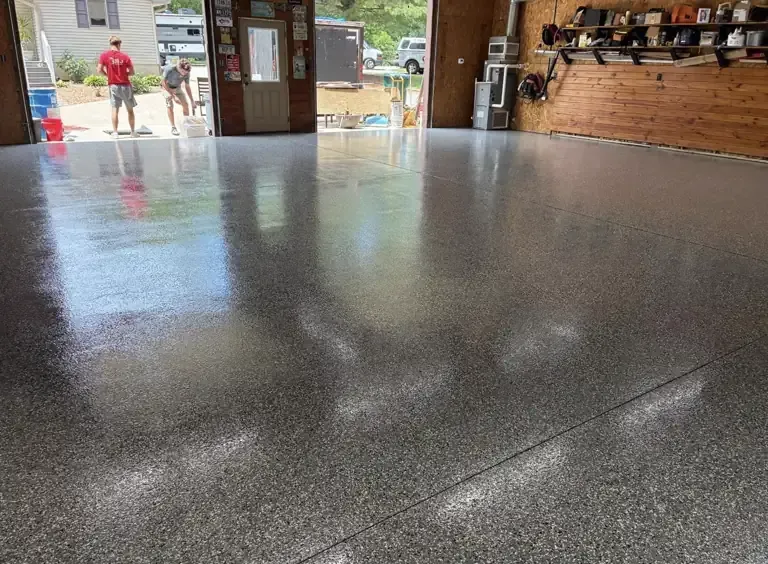
Take or upload a photo of your garage, basement, patio or shop, pick any of our 559 flake colors, and our AI shows you your own floor finished in that blend.
1
Your floor
Stand in a doorway, lights on, floor in the frame.
Drop a photo here
2
Your flake color
3
See it on your floor
How it works
Three steps to your new floor.
- Take or upload a photo On a phone, “Take a photo” opens your camera. On a computer, upload any photo of the space.
- Pick a flake color Search by name or code and filter by collection: flake, hybrid, UV+, solid, ColorLab and glitter.
- See it, save it, price it Drag to compare before and after, save the picture, or tap “Price this floor” to send the color with your free estimate request.
Choosing well
Pick a color you will love in ten years.
Mid-tone gray and brown blends with three or more colors hide tire marks, dust and winter salt best, which is why they dominate Chicagoland garages. Lighter blends brighten basements and gyms; darker blends make a bold showroom statement.
Narrowed it down? Compare every blend’s makeup in the flake color catalog, see flake vs. metallic vs. solid, or check what a flake floor costs. We bring physical samples of your favorites to the free estimate.
Questions
Visualizer FAQs.
Still deciding? Call or text (224) 321-2395 and talk to the people who will actually do the work.
How does the AI floor visualizer work?
You take or upload a photo of your floor and pick a flake color. Our visualizer sends the photo and the official Torginol sample of that blend to an AI image model, which repaints only the floor in that color with a clear top coat and leaves the rest of the room as it is.
What happens to my photo?
Your photo is sent securely to Google’s Gemini AI service to create your preview and is not saved by Fine Services. The result stays in your browser until you download it or send it with an estimate request.
How accurate is the preview?
The AI works from Torginol’s own straight-down photos of real broadcast flake, so it gets the color mix and chip size close. It is still an AI picture: lighting, screens and the exact floor edges can differ, so we bring physical samples of your favorites to your free estimate.
What kind of photo works best?
Stand in a doorway or corner, shoot the floor at an angle with the lights on, and get as much of the floor in the frame as you can. Clear clutter where possible.
Which colors can I try?
All 559 current flake colors in our catalog: flake blends, hybrids, UV+ fade-resistant flake, solid colors, ColorLab designer blends and glitter accents.
Is there a limit?
Each visitor can create a few free previews a day. Want more? Call or text (224) 321-2395 with a photo and the colors you like.
Related
Keep exploring.
Epoxy floor visualizer
See an epoxy garage floor before you buy
Our epoxy floor visualizer lets you see a flake epoxy floor on your own space before you commit. Take or upload a photo of your garage, basement, patio or shop floor, pick any of our flake colors, and the AI repaints only the floor.
It is the quickest way to compare garage floor colors: try a light blend and a dark one side by side, then save the result. Photos are not stored.
Once you have a favorite, send it with your free estimate request and we will bring that flake color to your on-site assessment.
Like what you see? Let’s make it real.
Free on-site estimate with physical samples of the blends you picked.